
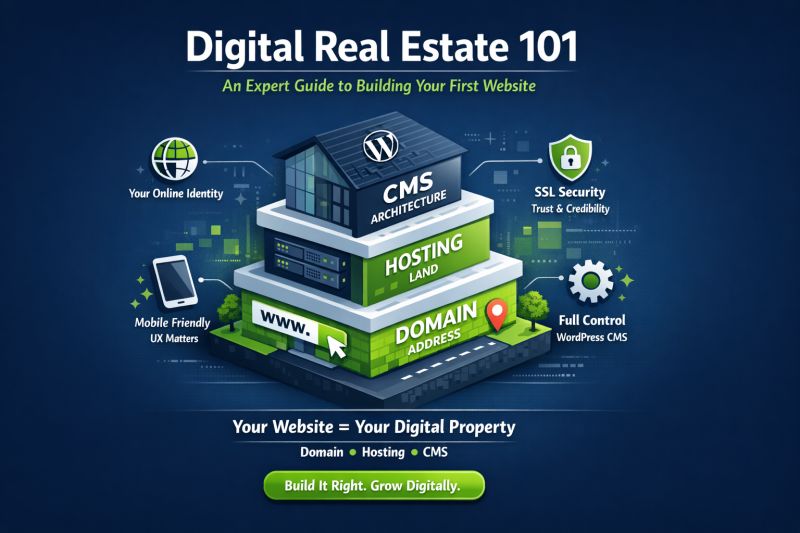
A website is now more than just a digital business card in today's economy; it is your most productive worker. While you sleep, it generates leads, tells your story, and operates around the clock. However, the technical obstacle can be too much for a lot of professionals and business owners.
The process of creating a website is strikingly similar to building a physical structure. Understanding the three fundamental pillars—the architecture (CMS), the land (hosting), and the address (domain)—is essential to building a strong structure.
1. The Domain: Protecting Your Personal Information
Your online identity is your domain name, such as www.yourbrand.com. It serves as your audience's initial point of contact with you.
The Plan: Try to get a .com extension. It continues to be the benchmark for credibility worldwide.
The Golden Rule: Don't use numbers or hyphens, and keep it brief and memorable.
Pro Tip: To verify availability, use resources like Namecheap or Google Domains. Consider including a verb (e.g., "Get[Brand].com") if your dream name is already taken.
2. The Engine Room for Web Hosting
The real piece of property where your files reside is called hosting if the domain is your address. Because it impacts the speed and security of your website, selecting a host is an important business decision.
-
Shared hosting is reasonably priced ($3–$10/month) for beginners.
-
For those who would prefer to focus on their business rather than server maintenance, managed WordPress hosting is the ideal option due to its improved performance and automated security.
-
The Finding: A 7% decrease in conversions can result from a one-second lag in page load time. Select a host with a track record of "uptime."
3. Picking the Engine: CMS or Site Builders
This is where the "building" really happens. You have two main options:
WordPress.org (The Professional Choice): WordPress powers more than 40% of the internet and gives you full control. You own your data, and there are endless ways to make it your own.
You can design visually without having to write any code if you use a "page builder" like Elementor. A "clean" layout should have a lot of white space, high-quality images, and a clear Call to Action (CTA) like "Book a Consultation" or "Shop Now."
SaaS builders like Wix and Shopify are great for "speed to market," but you're really just "renting" the platform. If you stop paying their high monthly fees, your site disappears.
4. Design & User Experience (UX)
A professional website must be able to work on mobile devices. More than half of all web traffic comes from mobile devices.
5. Trust and Security (SSL)
Have you ever seen the "Padlock" icon in the address bar of your browser? That is a certificate for SSL. It protects the information that goes between your user and your server. Most modern hosts give this away for free. If you don't have it, Google will mark your site as "Not Secure," which will destroy your credibility right away.
Bottom line
It is a smart move to build a website. You are laying the groundwork for long-term digital growth by starting with a clear domain, reliable hosting, and a platform that can grow with your business, like WordPress.
"Your website is the heart of your digital world. It needs upkeep, just like a real office, but the return on investment (ROI) of a well-built site is unmatched.

